


 Edu_Admin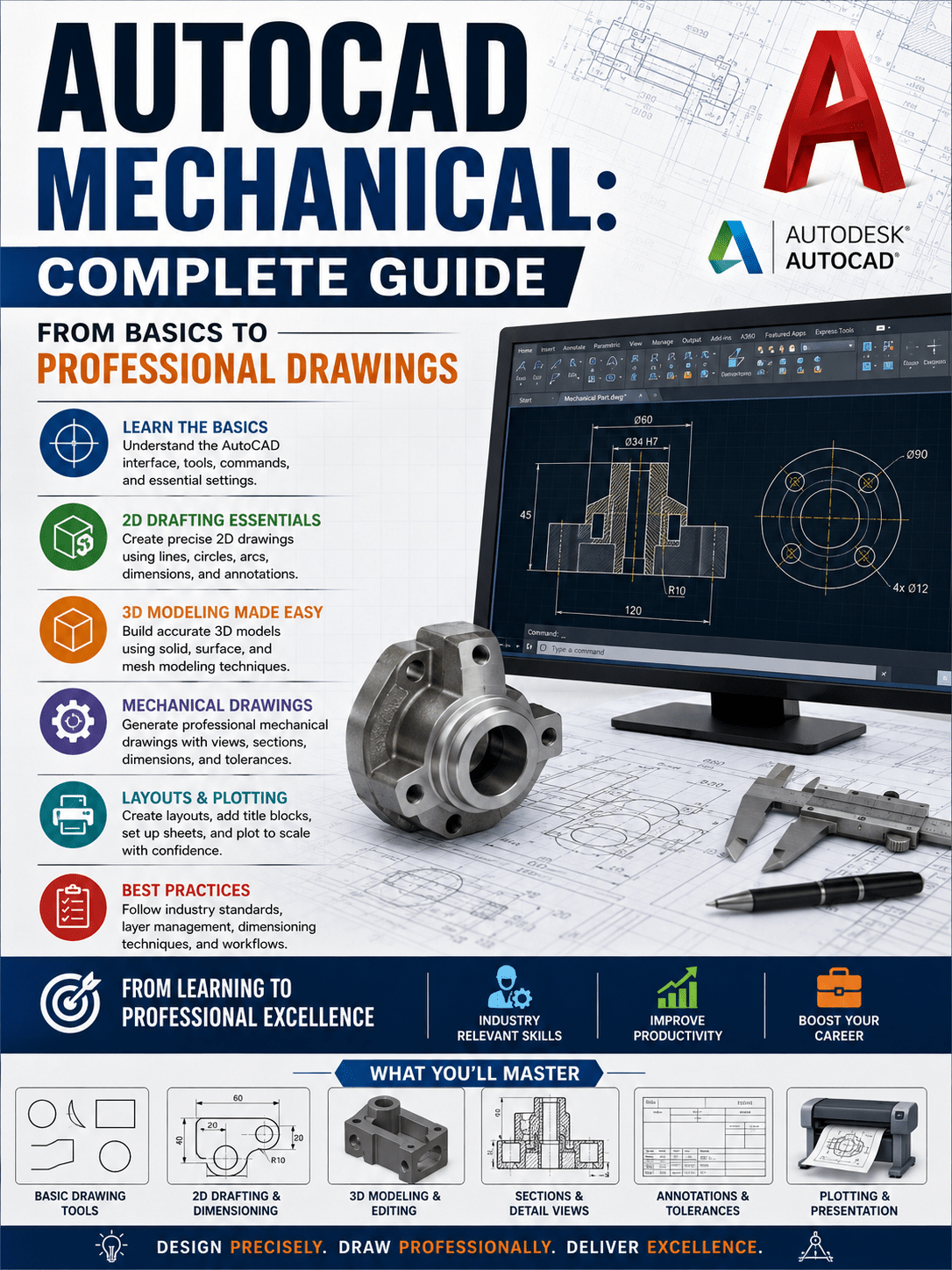
Introduction
Computer-Aided Design, or CAD, has transformed mechanical engineering. The days of manual drafting tables and pencil drawings are gone. Modern mechanical engineers create complex designs using powerful software tools that enable precision, efficiency, and collaboration.
Among these tools, AutoCAD Mechanical for engineering drawings stands out as an industry standard. It is the software that engineering professionals use to create technical drawings, mechanical designs, and manufacturing documentation.
Yet many aspiring engineers find AutoCAD Mechanical intimidating. The interface appears complex. The commands seem endless. The learning curve feels steep.
This guide changes that perspective. AutoCAD Mechanical is actually straightforward when approached correctly. With proper guidance and systematic learning, anyone can master this essential engineering tool.
This guide provides a clear, practical introduction to AutoCAD Mechanical. It covers what the software does, why it matters, how to learn it effectively, and which courses provide the best training.
What Is AutoCAD Mechanical?
AutoCAD Mechanical is specialised software designed specifically for mechanical engineering design and drafting. It is part of the Autodesk product family and builds upon the foundation of standard AutoCAD.
The key difference is that AutoCAD Mechanical includes industry-specific features for mechanical design. These features include:
- Standard mechanical parts libraries with bolts, screws, nuts, and washers
- Automated bill of materials generation
- Mechanical drafting standards compliance
- Power dimensioning tools
- Layer management systems
- Hidden line removal capabilities
- Mechanical symbol libraries
- Calculation tools for mechanical design
These features save significant time compared to using standard AutoCAD. A task that might take thirty minutes in standard AutoCAD can be completed in five minutes using AutoCAD Mechanical.
The software supports both 2D drafting and 3D modelling, making it versatile for different engineering applications.
Why Every Mechanical Engineer Needs AutoCAD Mechanical
Industry Standard Tool
AutoCAD Mechanical is used by thousands of engineering firms worldwide. It is the preferred tool for mechanical design and drafting in manufacturing, automotive, aerospace, and industrial sectors.
Efficient Design Workflow
The specialised tools in AutoCAD Mechanical dramatically speed up the design process. Automated features reduce manual work and minimise errors.
Professional Documentation
Engineering drawings created in AutoCAD Mechanical meet professional standards. They are clear, accurate, and suitable for manufacturing.
Career Advancement
Proficiency in AutoCAD Mechanical is a valuable skill. Engineering job listings frequently require or prefer candidates with AutoCAD Mechanical experience. Mastering this software opens career opportunities.
Integration with Other Software
AutoCAD Mechanical integrates with other engineering software. Designs created in AutoCAD Mechanical can be imported into simulation tools, manufacturing software, and product lifecycle management systems.
AutoCAD Mechanical vs Standard AutoCAD: Key Differences
Many people ask whether they should learn standard AutoCAD or AutoCAD Mechanical. Here is a clear comparison.
| Feature | Standard AutoCAD | AutoCAD Mechanical |
|---|---|---|
| Mechanical Parts Library | Limited | Extensive with standard parts |
| Bill of Materials | Manual creation | Automated generation |
| Dimensioning | General purpose | Power dimensioning for mechanical |
| Layer Management | Manual | Automated with mechanical standards |
| Hidden Lines | Manual removal | Automatic removal |
| Calculation Tools | None | Built-in mechanical calculations |
| Drafting Standards | General | Mechanical industry standards |
| Learning Curve | Moderate | Similar with mechanical focus |
| Industry Applications | General | Specifically mechanical engineering |
For mechanical engineers, AutoCAD Mechanical is the superior choice. It is designed for the specific work mechanical engineers perform.
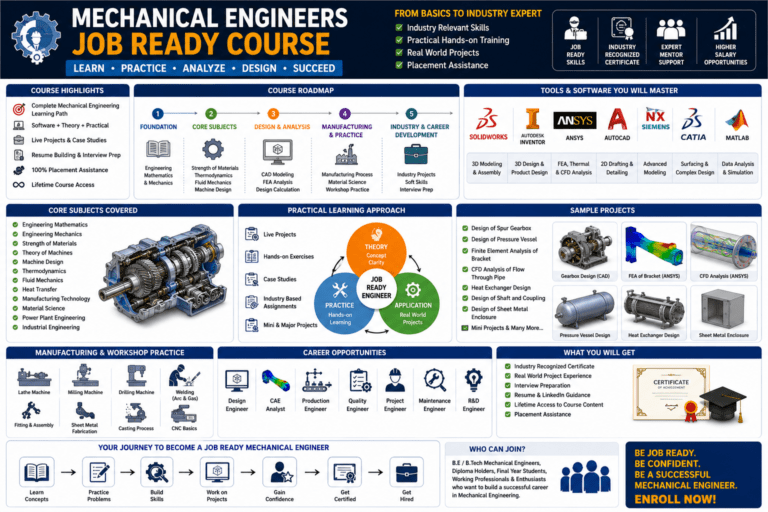
What You Will Learn in a Complete AutoCAD Mechanical Course
A comprehensive AutoCAD Mechanical course typically covers the following topics.
Fundamentals of AutoCAD Mechanical
- Interface navigation and workspace customisation
- Basic drawing commands and techniques
- Precision drafting methods
- Layer management and object properties
2D Drafting and Detailing
- Creating mechanical drawings from scratch
- Dimensioning with power dimensioning tools
- Adding annotations and notes
- Working with mechanical symbols and blocks
- Creating assembly drawings
- Generating part lists and bills of materials
3D Modelling
- Creating solid models of mechanical parts
- Modifying and editing 3D models
- Creating assemblies from individual parts
- Generating 2D drawings from 3D models
- Shaded and rendered visualisation
Professional Documentation
- Setting up drawing templates
- Creating title blocks and borders
- Generating bills of materials automatically
- Creating drawing sets for manufacturing
- Printing and plotting drawings
Real-World Projects
- Designing mechanical components
- Creating complete assembly drawings
- Preparing manufacturing documentation
- Applying industry standards
The AutoCAD Mechanical Learning Path
Stage 1: Foundation (Weeks 1-2)
Start with the basics. Learn the interface, navigation, basic drawing commands, and precision drafting techniques. Understand how to set up drawings and manage layers.
Stage 2: 2D Drafting (Weeks 3-5)
Develop 2D drafting skills. Learn dimensioning, annotations, symbols, and block creation. Practice creating mechanical drawings from scratch.
Stage 3: 3D Modelling (Weeks 6-8)
Transition to 3D modelling. Learn solid modelling techniques, create 3D parts, and assemble them into complete models.
Stage 4: Professional Documentation (Weeks 9-10)
Learn to create professional manufacturing documentation. Generate bills of materials, set up templates, and prepare complete drawing sets.
Stage 5: Practical Projects (Weeks 11-12)
Apply skills to real-world projects. Design complete mechanical assemblies and prepare professional drawings for manufacturing.
Frequently Asked Questions
Is AutoCAD Mechanical difficult to learn?
No. The software is designed to be intuitive. With proper training and practice, most people become proficient within a few weeks.
Do I need to learn standard AutoCAD first?
Not necessarily. Many people start directly with AutoCAD Mechanical. The mechanical version includes all standard AutoCAD functionality plus additional mechanical tools.
How long does it take to become proficient?
With focused learning, most people achieve proficiency in 1-3 months. Basic skills can be acquired in a few weeks.
What career opportunities require AutoCAD Mechanical?
Design engineer, mechanical drafter, CAD technician, product designer, manufacturing engineer, and many more roles use AutoCAD Mechanical regularly.
Which course should I choose for learning AutoCAD Mechanical?
A comprehensive course that covers 2D drafting, 3D modelling, and professional documentation is ideal. The AutoCAD Mechanical: From Basics to Professional Drawings course provides exactly this comprehensive training.
Mastering AutoCAD Mechanical: Your Next Step
Learning AutoCAD Mechanical presents a choice. You can struggle through confusing tutorials and incomplete resources. Alternatively, you can take a structured course that guides you from fundamentals to professional proficiency.
The AutoCAD Mechanical: From Basics to Professional Drawings course provides exactly this structured approach. The course includes:
- Comprehensive coverage of 2D and 3D AutoCAD Mechanical
- Step-by-step instruction from fundamentals to professional skills
- Real-world projects and practical examples
- Professional documentation techniques
- Career-focused training for engineering positions
The course starts from the very basics. No prior CAD experience is required.
Enrol in AutoCAD Mechanical: From Basics to Professional Drawings Now
Recommended Related Courses
To build a comprehensive mechanical engineering CAD and design foundation, consider these additional courses:
AutoCAD for Mechanical Design – Quick and Practical Projects – Build practical skills through project-based learning.
AutoCAD Mechanical 2D and 3D for Beginners to Advanced – Comprehensive training covering both 2D and 3D capabilities.
Complete AutoCAD 2021 Course: Both 2D and 3D – Mechanical – Complete AutoCAD training specifically for mechanical engineers.
Learn AutoCAD 2023 – 21 Mechanical 2D and 3D Complete Course – Updated course covering the latest AutoCAD features.
Mastering AutoCAD Mechanical 2026 with Real Examples – Advanced training with practical, real-world examples.
AutoCAD for Mechanical Engineer – Specialised AutoCAD training for mechanical engineers.
AutoCAD Mechanical with 100+ Drawings Practice – Extensive practice with over 100 drawing exercises.
Final Thoughts
AutoCAD Mechanical is an essential tool for mechanical engineers. It enables efficient design, professional documentation, and career advancement.
The software is accessible to beginners and provides valuable capabilities for experienced professionals. With proper training, anyone can master AutoCAD Mechanical and apply it to real engineering work.
Start your AutoCAD Mechanical journey today with the right training.
Enrol in AutoCAD Mechanical: From Basics to Professional Drawings
About the Author